
Client area
Your project, live.
Progress, hours, expenses, invoices, conditions: everything about your projects is visible in your client area, up to date as soon as we log it. You always know where the work stands and what it costs you, without having to ask us.
Overview
The essentials, as soon as you sign in
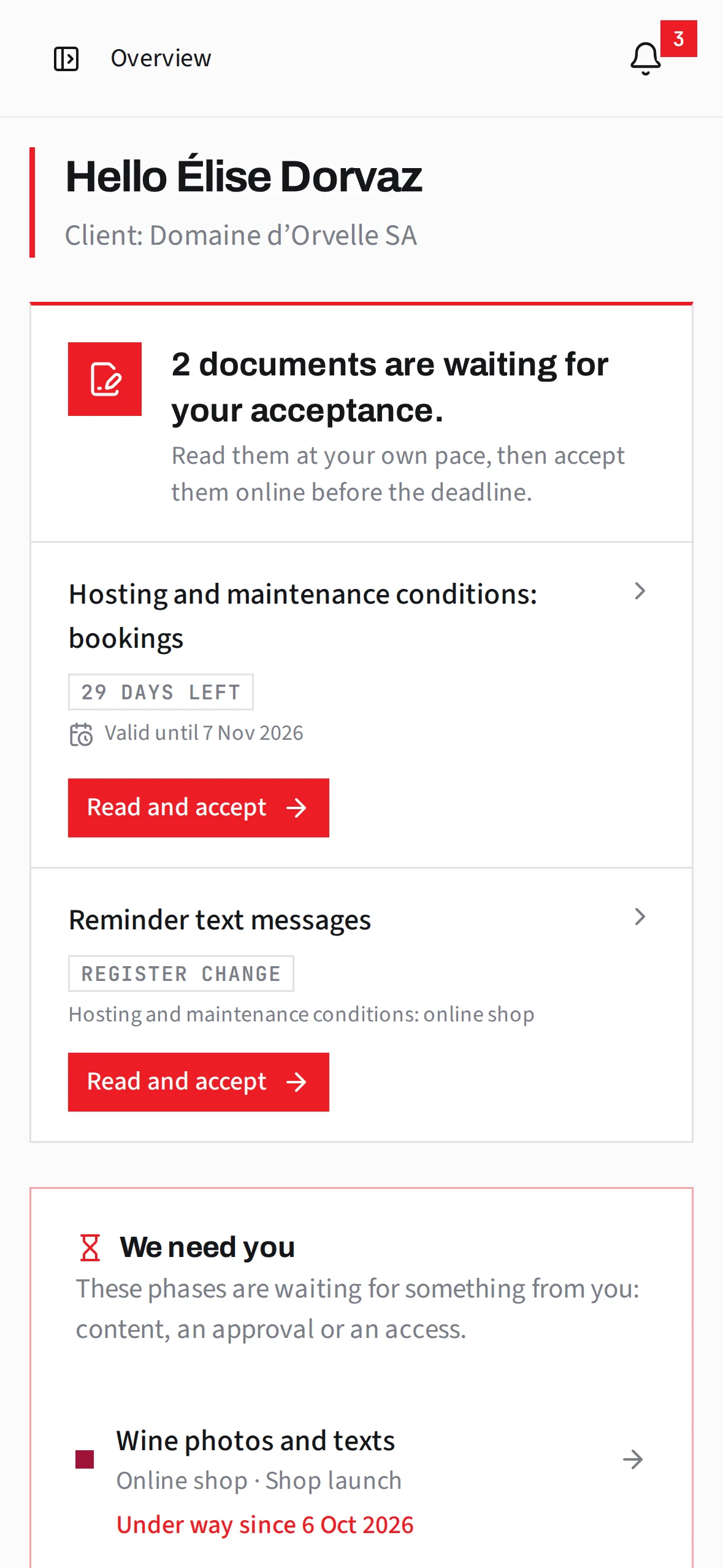
This is the client area as Domaine d’Orvelle, a fictitious client, sees it. From the home page, they know what we need from them, when the next meeting is, what will be invoiced and where the project stands: questions they no longer have to ask by e-mail.
A capture of the real client area, with sample data.
- 1What we need from youA text, an approval, an access: the step is flagged in good time, so the project does not fall behind.
- 2Your next meetingsThe link to join, the address or the phone number, and one click to add it to your calendar.
- 3The next invoiceThe hours, fixed price and expenses still to be invoiced, in francs, before the invoice goes out.
- 4Where the plan standsWhat is finished, what is under way, the next step and the expected end date.
Progress
Follow your project, step by step
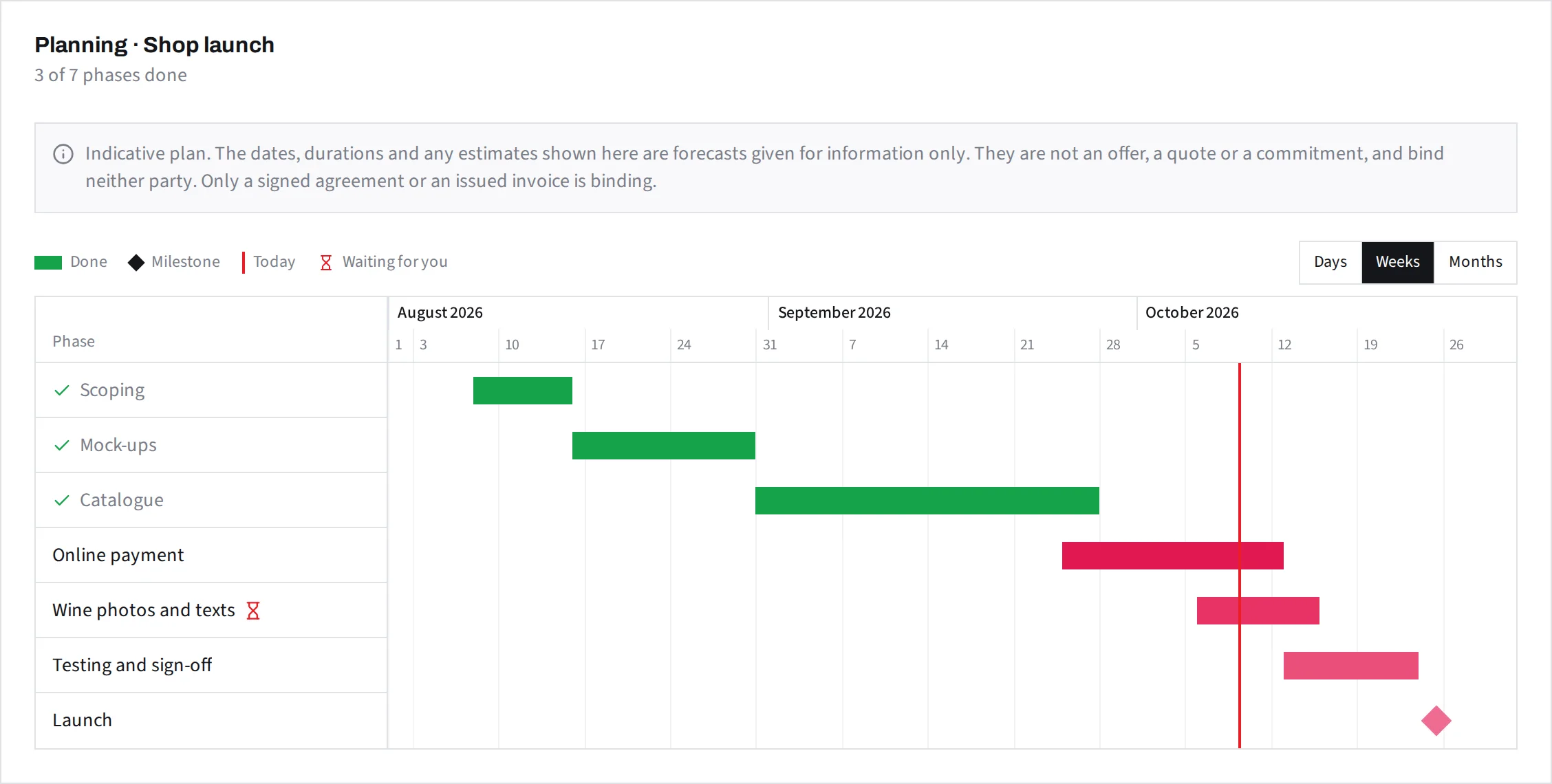
No need to ask us where the project stands. The share completed, the steps finished and those still ahead are updated as the work goes on, on a plan you can open whenever you like.
- Progress as a percentage, with a word on the work done
- A plan by steps, shown by day, week or month
- Steps that depend on you, flagged ahead of time
- Your test and production environments, one click away
Costs
No surprises on the invoice
On time and materials, every hour appears with its description and its amount as soon as it is logged. On a fixed price, you see what has already been invoiced and what remains, milestone by milestone, as well as the time spent, included in the price. Either way, you know the amount of the next invoice before you receive it.
- Hours and expenses in detail, with their description and their amount
- A search through the descriptions and a chart by month, by quarter or by year
- What is invoiced, still to invoice, offered or included in the fixed price, clearly told apart
- The amount of the next invoice, always up to date
Time and materials
Fixed price
The price is agreed before the project starts. You see at any time what has already been invoiced, what remains to invoice, the amount of each milestone and the time spent on the project.
Invoices
Your invoices, up to date and ready to pay
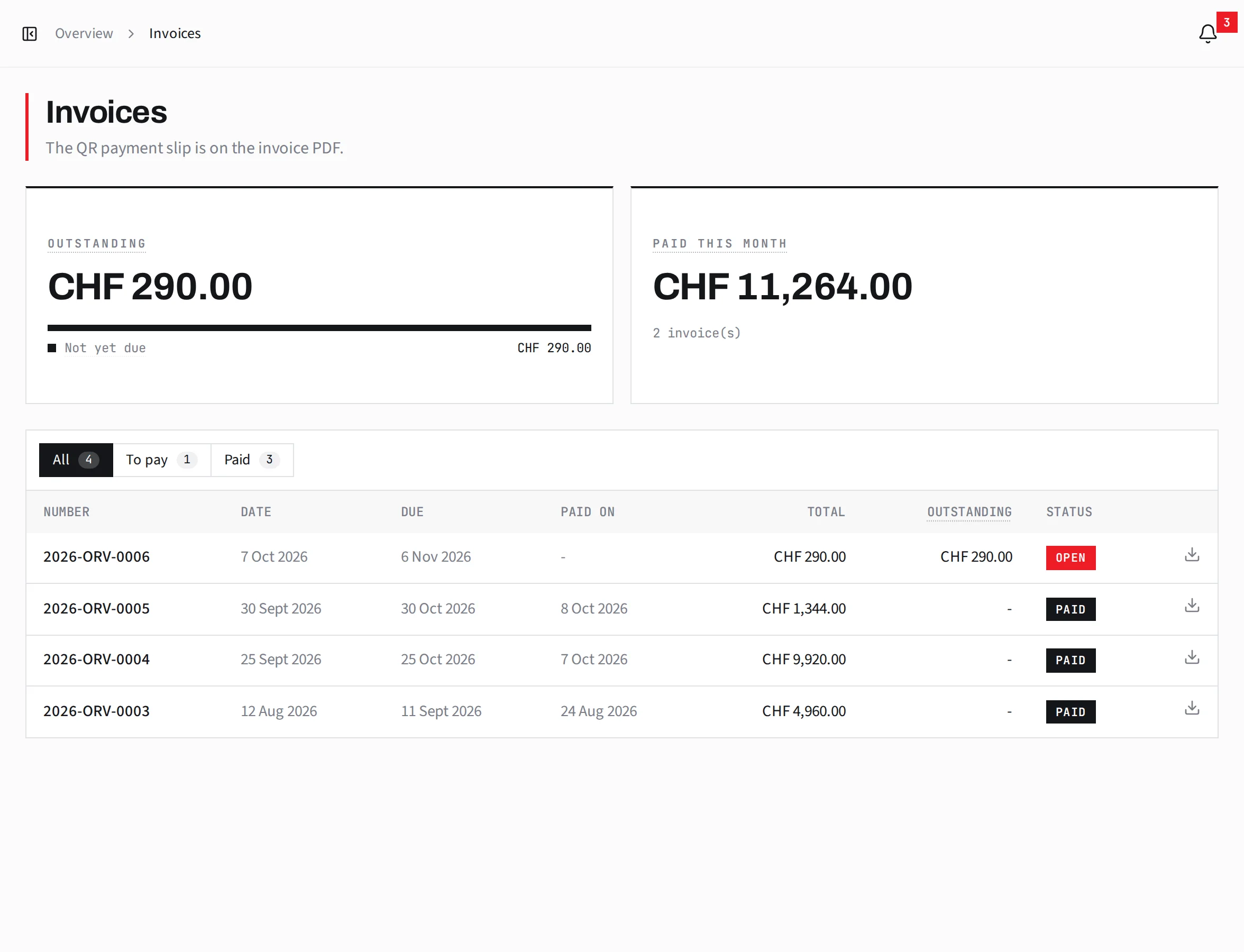
Every invoice appears in your client area the day it is issued, with its PDF and Swiss QR bill. It opens on what is left to pay and when it is due. Its status follows your payments: open, paid or overdue. Recurring amounts, such as hosting, are announced before they fall due.
- The PDF with its QR bill, to pay from your e-banking
- What is left to pay, the due date and the days remaining, at the top of every invoice
- Payments received with their date and the status updated as soon as they arrive
- Recurring amounts and their next due date
Conditions
Clear conditions, accepted online
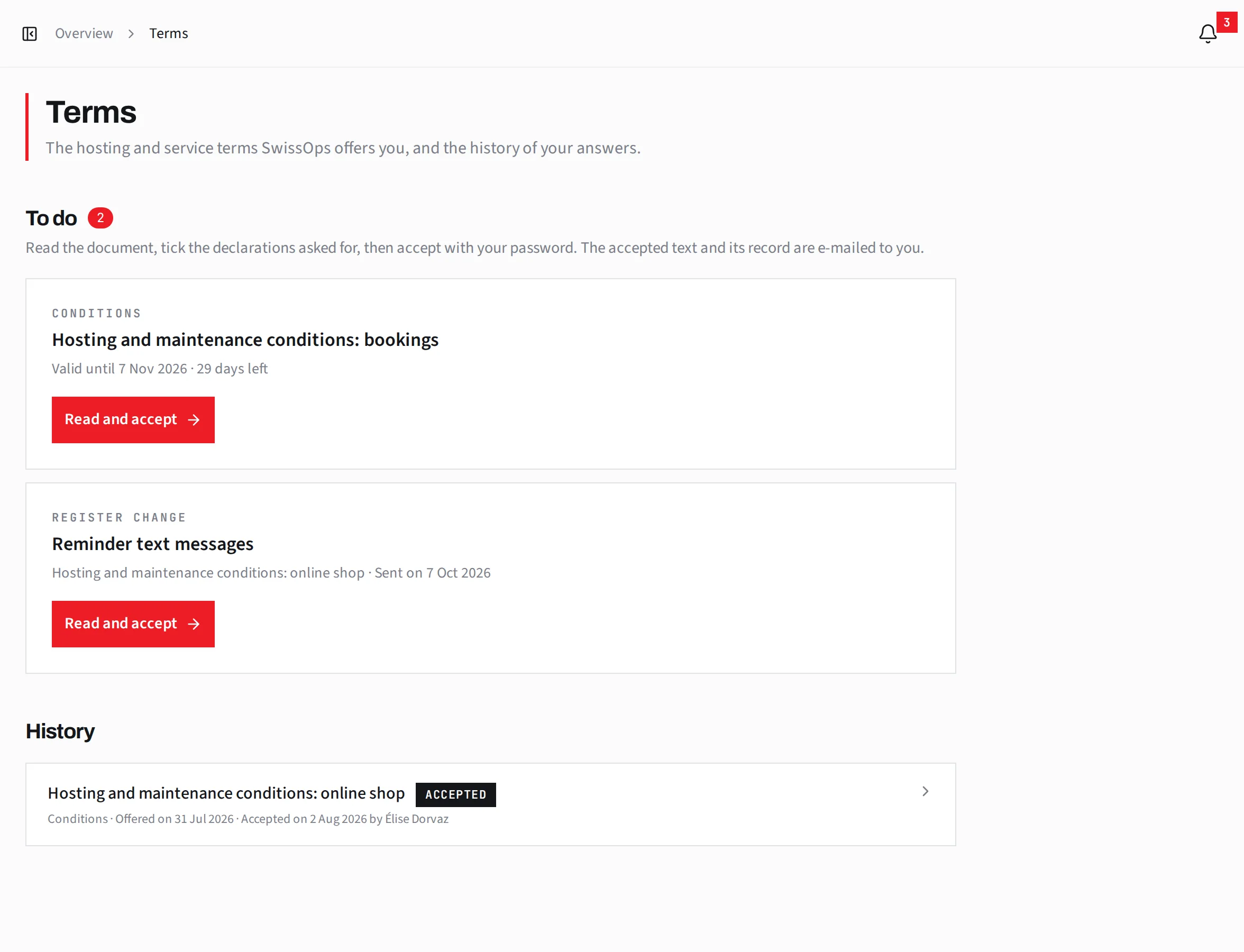
Hosting and maintenance conditions can be read in full in your client area, downloaded as a PDF and accepted online. You receive the accepted text and the acceptance record by e-mail. Any new version waits for your agreement.
- The full text, online or as a PDF
- Online acceptance, one declaration at a time
- The acceptance record, sent to you by e-mail
- The history of every version accepted
Day to day
Everything else, in one place
Your client area is as handy on a phone as on a computer.
What’s new
What has changed since your last visit: invoices, payments, plans, documents and conditions.
E-mail summary
Every morning or every Monday, an e-mail sums up what is new. You choose the topics and how often.
Meetings
Join a meeting in one click, find the address or the number, add it to your calendar.
Access and documents
The links to your environments and the project’s documents, in one place. Credentials are shown on request.
Secure sign-in
Protect your account with two-factor authentication or a passkey.
For your whole team
Everyone involved in your company has their own access, in French or in English.
Getting started
Nothing to install, nothing to set up
- 01
We invite you
As soon as we start working together, you receive an invitation by e-mail.
- 02
You create your access
You choose a password and accept the client area’s terms of use.
- 03
You follow everything live
Hours, invoices, plans and conditions appear in your area as the work goes on, with nothing to do on your side.
FAQ
Frequently asked questions
- What is the SwissOps client area?
- A secure online space where you follow the projects we carry out for you: progress, plan, hours, expenses, invoices, conditions and meetings. It updates as soon as we enter something, with nothing to do on your side.
- Who has access?
- Every project we carry out for you comes with its client area. Everyone involved in your company receives their own access by invitation, in French or in English.
- Is there anything to install?
- No. You receive an invitation by e-mail, choose a password and accept the client area’s terms of use. It works as well on a phone as on a computer.
- How do I know what the next invoice will be?
- On a time basis, every hour appears with its description as soon as it is entered; at a fixed price, you see milestone by milestone what has been invoiced and what remains to be invoiced. Either way, you know the amount of the next invoice before you receive it.
- How is my account protected?
- You can protect it with two-factor authentication or a passkey. The credentials of your environments are only shown on request.
A project in mind? Follow it live.
Every project we deliver for you comes with its client area. Tell us about yours: we usually reply within one working day.